
Introduction
If you’ve ever ended your day exhausted but unsure what you actually accomplished, you’re not alone. Most teams today aren’t short on effort — they’re short on structure. That’s where task management comes in.
It’s not about creating more checklists or fancy dashboards. It’s about helping you and your team focus on the right things, at the right time, and actually finish what you start.
What Is Task Management?
At its simplest, task management is the process of capturing, organizing, tracking, and completing tasks — the small units of work that move a project or goal forward.
Think of it as your daily engine room. Projects are the ships; task management is the disciplined routine that keeps them sailing smoothly.
Task vs Project vs Workflow
- Task: A single actionable item (“Design login screen”).
- Project: A collection of related tasks (“Build user authentication module”).
- Workflow: The system that connects multiple projects or teams (“App release pipeline”).
Why Task Management Matters Today
With distributed teams and constant digital noise, managing work by memory or chat threads is chaos. A clear task management system keeps you anchored — it aligns focus, improves accountability, and reduces burnout.
Nearly half of all projects—48%—are rated fully successful; the rest fall into mixed performance or failure buckets.
If you only take one thing from this guide: make one place for tasks and one rule for ‘done’. Everything else becomes easier.
The 7 Pillars of Effective Task Management
Over the years, I’ve found that every great system — whether it’s Kanban, Agile, or a simple to-do list — stands on seven unshakable pillars:
- Capture & Clarify: Don’t trust your memory. Use one trusted place to collect all incoming work. Define “done” clearly for every task.
- Prioritize: Not all tasks are created equal. Apply methods like Eisenhower Matrix (urgent vs important), RICE, or MoSCoW to sort what truly matters.
Real-life insight: In one compliance project, we ran every item through the MoSCoW model and discovered 40% of our “must-have” tasks were actually “should-have.” That single tweak shaved a full week off the delivery schedule.
- Plan & Schedule: Map your priorities into sprints, deadlines, or capacity blocks.
- Assign & Collaborate: One owner per task — accountability is clarity.
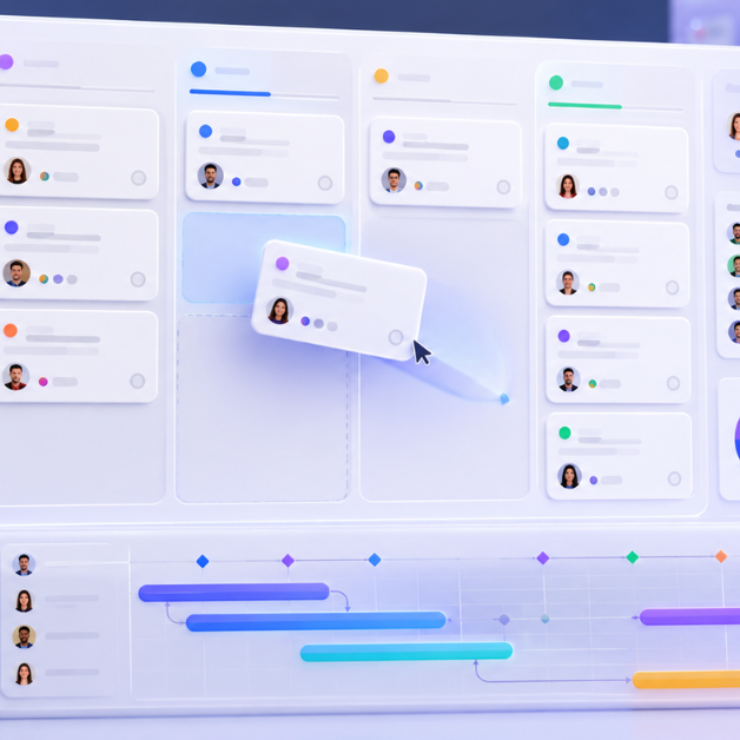
- Execute & Track: Keep visibility with a Kanban board or timeline; limit work-in-progress to avoid overload.
Limiting work in progress isn’t just theory — WIP limits increase throughput and make bottlenecks obvious, pushing teams to finish rather than hoard.
- Review & Adapt: Short retrospectives uncover patterns before they turn into bottlenecks.
- Report & Improve: Track metrics like on-time completion and cycle time; review them monthly.
These seven steps sound simple, but they’re the foundation of predictable performance.
Use this as a chooser, not a checklist—pick one method to trial this week.
Popular Task Management Methods (and When to Use Them)
There’s no one-size-fits-all approach. Each team’s pace, structure, and culture determine what works best.
| Method | Best for | Caution |
|---|---|---|
| To-Do Lists | Solo professionals, small teams | Great for focus, but limited collaboration |
| Kanban Boards | Agile teams with dynamic workloads | Can get messy if WIP limits aren’t enforced |
| Gantt Charts | Projects with dependencies & milestones | Too rigid for creative/iterative work |
| Calendar Blocking | Time-sensitive, routine-driven roles | Can create over-scheduling fatigue |
Most teams thrive by combining methods — for example, Kanban for visual flow and calendar blocking for time discipline.
Frameworks & Prioritization Models (with Quick Templates)
If you’ve ever felt like everything’s urgent, welcome to modern work. The real skill isn’t managing tasks — it’s deciding which tasks truly move the needle. That’s where prioritization frameworks save your sanity.
1. Eisenhower Matrix (Urgent vs Important)
This classic model divides work into four quadrants:
- Do Now (urgent + important)
- Schedule (important, not urgent)
- Delegate (urgent, not important)
- Eliminate (neither)
Quick Template:
Create a 2×2 grid on a whiteboard or tool like Notion. Add tasks based on impact and time sensitivity. It instantly separates firefighting from strategic work.
Mentor tip: Early in my career, I spent days reacting to emails marked “urgent.” The day I applied this model, half my inbox lost its power. Most “urgent” things weren’t important at all.
2. RICE Scoring (Reach, Impact, Confidence, Effort)
Used often in product and tech teams, RICE helps balance ambition with reality. Each task is scored like this:
RICE Score = (Reach × Impact × Confidence) ÷ Effort
Quick Template:
| Task | Reach | Impact | Confidence | Effort | RICE Score |
|---|---|---|---|---|---|
| Launch new onboarding flow | 200 users | High (3) | 80% | 2 days | 240 |
RICE is brilliant for limited-capacity teams — it forces tough conversations about ROI.
3. MoSCoW Method (Must, Should, Could, Won’t)
Ideal for teams with multiple stakeholders and shifting priorities. Label each task clearly:
- Must-Have: Non-negotiable.
- Should-Have: Adds significant value.
- Could-Have: Nice to include.
- Won’t-Have: Not in this cycle.
Quick Template:
| Priority | Example | Owner |
|---|---|---|
| Must-Have | Payment integration | Backend |
| Should-Have | UI animation | Design |
| Could-Have | Social share button | Marketing |
| Won’t-Have | Dark mode | Future sprint |
Experience insight: We once ran a compliance project where every item was a “must.” After forcing a MoSCoW pass, 40% dropped to “should,” and that single reclassification cut our delays by a full week.
4. The ABCD Rule for Daily Clarity
When your day feels overcrowded, just label tasks as:
- A: Critical today
- B: Important this week
- C: Optional improvements
- D: Delegate or defer
It’s simple but shockingly effective when paired with your morning planning ritual.
Key takeaway: Frameworks are just lenses — they don’t make decisions for you. Use them to sharpen your intuition, not replace it.
Implementation Playbook
90-Minute Quick Start
If your team is new to structured task management:
- Pick one board or tool (even a spreadsheet).
- Create just three columns — To-Do, In-Progress, Done.
- Add every task currently in motion.
- Limit each person to three active tasks at once.
- Do a quick 10-minute daily standup: “What’s done, what’s next, what’s blocked?”
You’ll instantly notice where work gets stuck.
30-Day Rollout (Operational Deep Dive)
- Week 1: Clean your backlog — close stale tasks, rename vague ones.
- Week 2: Introduce a weekly prioritization rhythm and map dependencies.
Example from experience: When we introduced a 15-minute “dependency huddle” across three departments, blockers dropped dramatically — and our on-time delivery jumped by almost 20%.
- Week 3: Build a simple KPI dashboard — track throughput, WIP, and on-time rate.
- Week 4: Run a retrospective; add SLAs or rules for recurring pain points.
Within a month, the culture shifts from firefighting to flow.
Teams that adopt formal task/project management best practices are 2.5 times more likely to succeed in their initiatives.
Metrics That Matter
Numbers tell the truth your gut might miss. Here are a few to monitor:
| Metric | What It Shows | Ideal Trend |
|---|---|---|
| Cycle Time | How long a task takes from start to finish | Decreasing |
| Lead Time | Total time from request to completion | Steady or improving |
| Throughput | Tasks completed per week | Consistent, rising slowly |
| WIP (Work in Progress) | How many tasks are active | Low and stable |
| On-Time Completion Rate | Percent finished on schedule | 85–95% is healthy |
Expert benchmark: From years of tracking productivity, I’ve learned that if a simple approval task takes more than two weeks of cycle time, you’re not tracking progress — you’re tracking bottlenecks.
Organizations hitting all four delivery dimensions (scope, budget, schedule, benefits maturity) see success rates of ~92%, compared to only 33% for underperformers.
These metrics don’t just measure output — they signal process health.
Task Management in Action (Real-World Contexts)
Theory is easy. Implementation is where most teams stumble. Here’s how task management translates into different business functions, with practical examples from real operations.
According to PMI, 72% of organizations report their projects met business goals; 28% encountered scope creep; and projects that failed lost an average of 17% budget.
1. Software & IT Teams
Task management here means more than “tickets.” It’s your entire delivery rhythm — from bug fixes to change requests.
- Use: Kanban or Agile boards for sprint tracking.
- Example: “Deploy feature” tasks can be linked to pre-checklists (QA, code review, UAT) before moving to ‘Done’.
- Pro tip: Automate status updates through integrations (GitHub → Jira, for instance) to eliminate manual tracking.
2. Marketing Teams
Campaigns live or die on coordination. A marketing board often includes stages like Briefed → In Progress → Review → Scheduled → Live.
- Use: RICE scoring to prioritize campaigns by reach and impact.
- Example: One content team I coached saved 6+ hours weekly by tagging each creative request with its due date and funnel stage.
- Tool tip: Link your task board to a shared calendar so publish dates stay visible to everyone.
3. HR & Recruitment
Hiring pipelines are naturally Kanban-style workflows.
- Stages: Profile Received → Screening → Interviewing → Offer → Onboarded.
- Benefit: Instant visibility on candidate status and workload balance.
- Add-on: Attach feedback forms or notes directly to candidate cards to avoid scattered email trails.
4. Finance & Operations
These teams thrive on repeatable checklists — monthly closings, audits, vendor payments.
- Use: Templates for recurring workflows (e.g., “Month-end checklist”).
- Insight: Even a 15-step finance task list benefits from owners, due dates, and “done” definitions.
- Automation idea: Trigger a reminder to CFO when a checklist hits 90% completion.
5. Cross-Functional Projects
This is where task management truly shows ROI.
- Example: In one transformation project, we ran a shared Kanban across HR, IT, and Admin. Within 45 days, inter-departmental blockers dropped by 30%.
- Why it worked: Everyone had real-time visibility and shared accountability — no more “waiting for update” loops.
Key takeaway: Don’t treat task management as software-specific. It’s the invisible backbone of how teams collaborate, regardless of function.
Choosing the Right Tools
Before jumping into tools, identify your needs:
| Team Type | Recommended Features |
|---|---|
| Solo or Freelancer | Simplicity: checklist + calendar sync |
| Small Teams (5–20) | Kanban boards, task owners, reminders |
| Mid-Size/Enterprise | Role permissions, SSO, API, BI dashboards, audit trails |
Avoid shiny-tool syndrome — tools don’t fix broken habits.
Governance, SLAs & Risk Controls
Mature task management goes beyond tracking; it enforces discipline:
- Define naming conventions and SLA categories.
- Track version changes and approvals.
- Maintain an audit trail for compliance.
Strong governance converts chaos into consistency — especially in regulated industries.
Common Pitfalls (and How to Fix Them)
| Pitfall | Fix |
|---|---|
| Too many active tasks | Set WIP limits; focus before you start more |
| Unclear ownership | One owner, many contributors — never the reverse |
| Hidden dependencies | Weekly cross-team sync; visualize blockers |
| “Status thrash” | Use agreed-upon status names; avoid “almost done” purgatory |
Lesson from the field: I once worked with a team where every task had two owners — and no one accountable. The simple fix? One owner, many contributors. Clarity beats democracy every single time.
Templates & Downloads (Practical Starters)
1. Task Intake Form Template
Purpose:
To ensure every new task entering the system is clearly defined, scoped, and accountable before it’s added to the team board.
This eliminates “half-baked” or vague requests that derail productivity.
Key Fields to Include:
| Field | Description | Example |
|---|---|---|
| Task Title | One-line description | “Design new onboarding banner” |
| Task Description | Clear context, goal, or reference link | “Use Q3 brand guidelines, target users from India region.” |
| Requester / Department | Who raised this request | “Marketing – Shreya” |
| Owner / Assignee | Who’s responsible for delivery | “Design – Aman” |
| Priority Level | High / Medium / Low (or MoSCoW tag) | “Should-Have” |
| Due Date / SLA | Expected completion date | “15 Oct 2025” |
| Dependencies | Any linked tasks or teams | “Awaiting copy approval” |
| Attachments / Links | Specs, mockups, or Jira ticket | “drive/aapna-design-v2” |
| Approval / Review By | Sign-off authority | “Deepak” |
2. Weekly Priorities Sheet (RICE + Eisenhower Hybrid)
Purpose:
To help individuals or teams plan the week by mixing strategic prioritization (RICE) with tactical urgency (Eisenhower).
Suggested Columns:
| Week | Task | Reach | Impact | Conf | Eff | RICE | Urg | Imp | Quad | Stat | Owner |
|---|
The Quadrant auto-populates from Urgency/Importance (so users know what to Do, Schedule, Delegate, or Drop).
Extra Touches:
- Add conditional formatting (red = urgent + important, green = completed).
- Include a weekly summary section at the top:
- ✅ Top 3 Priorities
- ⚠️ Risks / Blockers
- 💬 Learnings / Wins
3. KPI Dashboard Template
Purpose:
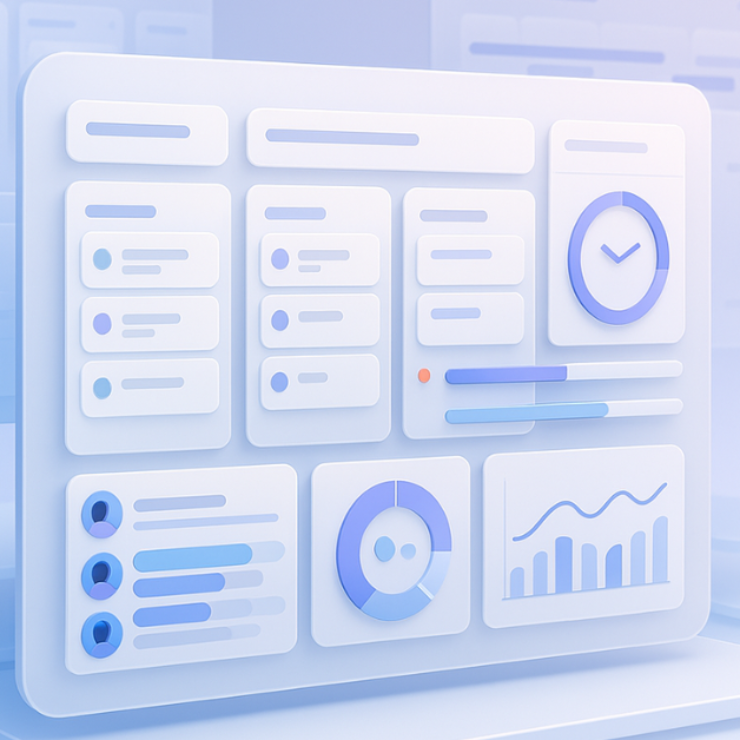
To visualize progress over time — especially throughput, WIP, cycle time, and completion rate. Perfect for managers or PMOs who want a weekly pulse on productivity.
Recommended Metrics & Layout:
| KPI | Formula | Target | Actual | Trend | Status |
|---|---|---|---|---|---|
| Cycle Time | Avg(end date – start date) | ≤ 7 days | 9 days | ⬇️ | ⚠️ |
| Throughput | Tasks completed/week | 25 | 30 | ⬆️ | ✅ |
| WIP | Active tasks | ≤ 10 | 13 | ⬆️ | ⚠️ |
| On-Time Completion Rate | % tasks finished by due date | ≥ 90% | 92% | ⬆️ | ✅ |
Visualization ideas:
- Trend lines over time (Cycle Time, Throughput)
- Donut chart for “Tasks by Status”
- Bar chart for “Tasks per Owner”
Bonus tab: Add “Weekly Retrospective Notes” to summarize insights (e.g., “Week 40 – Cycle Time spiked due to new client onboarding.”)
Expert Tips to Keep Momentum
Even the best-designed systems collapse if they’re not maintained. Here’s how to keep energy, ownership, and engagement alive — especially when the novelty wears off.
- Start every Monday with clarity, not chaos.
Have a 15-minute “planning sync.” No status updates — just: What’s most important this week? What can wait? - Celebrate completions publicly.
A “Done of the Week” shoutout in Slack or Teams keeps morale high and reinforces the value of follow-through. - Rotate ownership of retrospectives.
Let a different person host every time. It builds leadership skills and prevents monotony. - Link OKRs to your board.
Connect everyday tasks to quarterly goals. When people see how their effort ladders up, motivation becomes self-sustaining. - Set guardrails for tool overload.
Too many tools kill visibility. Keep one “source of truth” and push updates from there. - Watch for silent signals.
If tasks pile in “In Progress” for too long, don’t add rules — have a conversation. Most bottlenecks are emotional, not procedural. - Review, don’t reset.
When the system slips (and it will), don’t scrap it. Review what failed, tighten the rules, and restart.
Personal insight: The teams that sustain momentum aren’t the most disciplined — they’re the most adaptable. They keep tweaking, learning, and restarting without ego.
Final takeaway: Task management isn’t about control; it’s about flow. When your process supports adaptability, your team stays productive even in chaos.
Conclusion
Task management isn’t a buzzword — it’s a mindset. Once you stop treating it as “admin work” and start using it as your decision-making radar, productivity stops being accidental.
Whether you’re leading a five-person startup or a 500-person program, the principles remain the same: capture clearly, prioritize intelligently, and finish consistently. Start small today — even a simple three-column board can change how your team works forever.
FAQs
What is task management?
Task management is the process of organizing, tracking, and completing individual tasks that lead to achieving project or business goals.
How is task management different from project management?
Project management deals with strategy and planning at the macro level; task management is the daily execution layer — where ideas meet action.
What are the best task management methods?
Kanban for visual flow, to-do lists for individuals, Gantt for timeline-heavy projects, and calendar blocking for time control.
What KPIs help measure task management success?
Cycle time, throughput, WIP, and on-time completion rate.
How can small teams start task management quickly?
Use one shared board with three columns (To-Do, In-Progress, Done) and limit each person to three tasks at a time — simplicity works.