
If you’re evaluating this switch in detail, we’ve broken down the differences between Karya Keeper vs Asana across visibility, workflows, reporting, and adoption in a dedicated comparison guide.
Standout features
- Role-based access and smart task filters (executive, manager, user level)
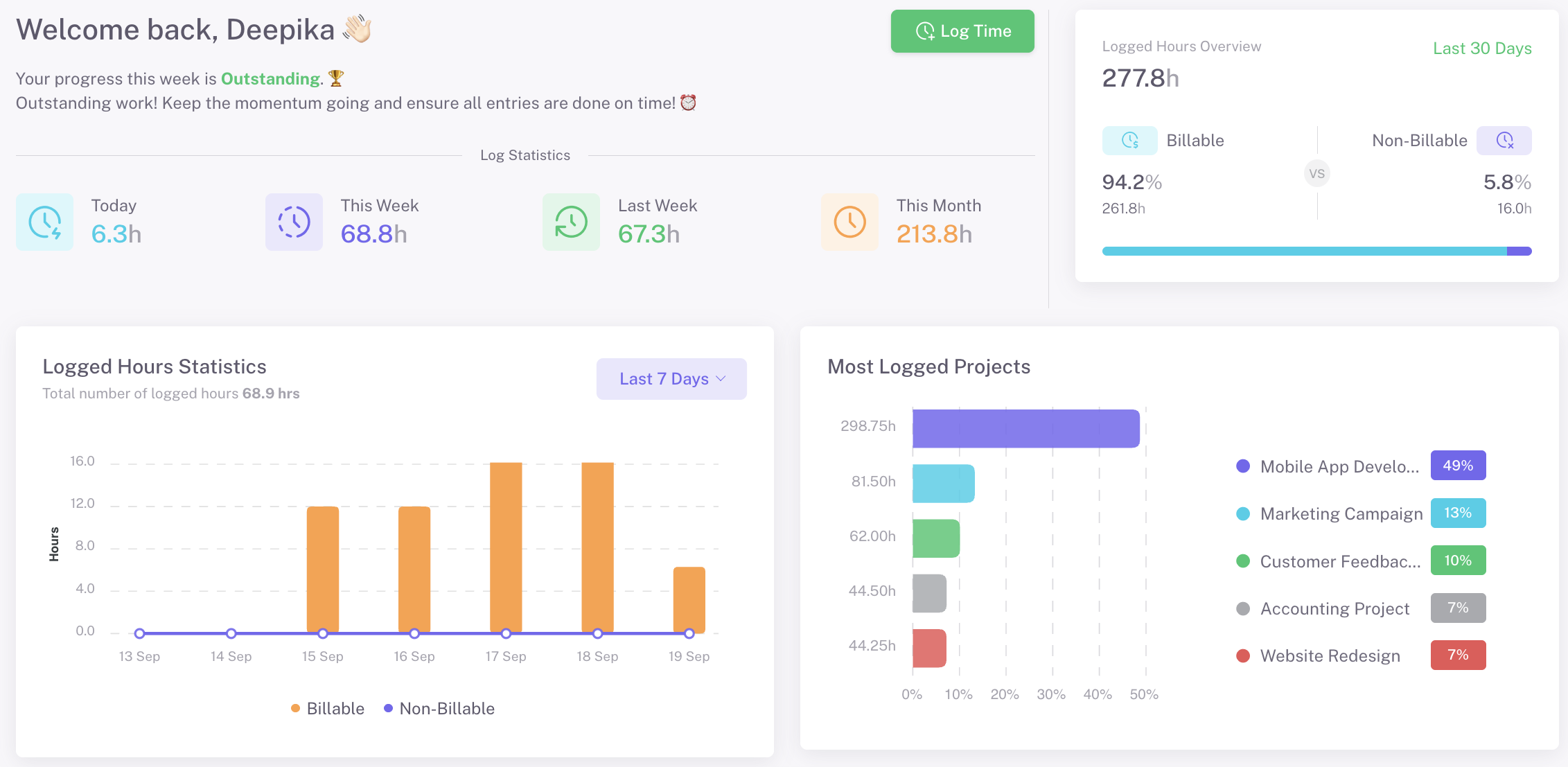
- Auto timesheets and idle detection for real productivity insights
- Kanban boards for personal and team workflow execution
- Advanced reporting: health reports and AI-powered reports
- Audit logs and advanced security controls
- Integrations with common workplace tools
Pros
- Extremely easy to adopt across teams
- Reduces status-chasing and follow-ups
- Keeps focus on outcomes rather than activity
- Works well for non-technical users
Cons
- Not designed for sprint-heavy Agile development
- Backlog and story-point mechanics are limited (by design)
Choose Karya Keeper if: You want structured execution and role-based clarity instead of maximum customization or feature overload.
2) monday.com — Best for visual workflows and customizable boards
Best for: Teams that want flexibility and visual clarity across projects
monday.com is often chosen by teams that outgrow Asana’s task lists and want something more visual and configurable. It’s especially popular with marketing, operations, and cross-functional teams that manage multiple workflows in parallel.
Why teams choose monday.com over Asana
- Highly visual boards with color-coded statuses
- Flexible workflows that adapt to different team styles
- Strong automation for repetitive updates and handoffs
Standout features
- Multiple views: board, timeline, calendar, and workload
- No-code automation recipes
- Dashboards for team and leadership visibility
- Wide integration ecosystem
Pros
- Easy to understand visually
- Very flexible across departments
- Good balance of power and usability
Cons
- Can become messy without governance
- Pricing increases quickly as usage grows
Choose monday.com if: You want visual clarity and customization without diving into overly technical setups.
3) ClickUp — Best all-in-one Asana alternative
Best for: Power users who want everything in one place
ClickUp positions itself as a single platform to replace multiple tools—tasks, docs, goals, dashboards, and more. For teams that enjoy tailoring tools to their exact workflow, ClickUp offers unmatched flexibility.
Why teams switch from Asana to ClickUp
- More customization at every level
- Built-in docs, goals, and dashboards
- Advanced automation and reporting options
Standout features
- Deep task hierarchies and custom fields
- Docs tightly linked with tasks
- Custom dashboards for different roles
- AI-assisted summaries and writing
Pros
- Extremely powerful
- Can adapt to almost any workflow
- Generous feature set even on lower plans
Cons
- Steep learning curve
- Easy to over-configure and slow adoption
Choose ClickUp if: You have someone who can own the setup and you value flexibility over simplicity.

4) Trello — Best simple Kanban-style alternative to Asana
Best for: Small teams that want simplicity and fast adoption
Trello is one of the simplest project management tools available. While it lacks depth compared to Asana, that simplicity is exactly why many teams still choose it.
Why teams choose Trello over Asana
- Minimal setup and almost no learning curve
- Clear, intuitive Kanban board
- Ideal for personal and lightweight team workflows
Standout features
- Boards, lists, and cards
- Power-Ups for added functionality
- Easy collaboration and sharing
Pros
- Extremely easy to use
- Fast onboarding
- Free plan works well for basics
Cons
- Limited reporting
- Not suitable for complex projects
Choose Trello if: You want the simplest possible tool and don’t need heavy reporting or structure.
5) Jira — Best for software and engineering teams
Best for: Agile, Scrum, and development-driven organizations
Jira is not just an Asana alternative—it’s built for a different audience altogether. Engineering teams rely on Jira for its deep Agile and issue-tracking capabilities.
Why teams move from Asana to Jira
- Native support for sprints, backlogs, and epics
- Strong integration with developer tools
- Detailed tracking of work dependencies
Standout features
- Scrum and Kanban boards
- Advanced issue tracking
- Release and sprint planning
- Extensive integrations with DevOps tools
Pros
- Excellent for engineering workflows
- Powerful reporting for Agile teams
- Scales well for large dev organizations
Cons
- Difficult for non-technical users
- Overkill for simple task management
Choose Jira if: Engineering workflows drive your organization’s execution.
6) Wrike — Best for large teams and structured reporting
Best for: Enterprises and PMOs that need control and visibility
Wrike is designed for organizations that prioritize reporting, governance, and workload management across large teams. Its flexible platform supports various methodologies, including Agile, Waterfall, and hybrid approaches.
Why teams choose Wrike over Asana
- Strong reporting and analytics
- Advanced workload and resource management
- Enterprise-grade permissions and controls
Standout features
- Custom dashboards and reports
- Time tracking and workload views
- Approval workflows
- Cross-team collaboration tools
Pros
- Powerful reporting
- Good for multi-team coordination
- Enterprise-ready
Cons
- Heavier setup
- Less intuitive for smaller teams
Choose Wrike if: You need structured oversight and reporting at scale.
7) Smartsheet — Best spreadsheet-style project management
Best for: Operations and planning-heavy teams
Smartsheet feels familiar to teams that live in spreadsheets but want more control and collaboration. It combines grid-based planning with automation and workflow capabilities.
Why teams move from Asana to Smartsheet
- Spreadsheet-style planning
- Strong automation for approvals and alerts
- Better fit for operational planning
Standout features
- Grid, Gantt, and calendar views
- Automation workflows
- Real-time collaboration
- Enterprise-grade security
Pros
- Familiar interface for spreadsheet users
- Strong planning capabilities
- Scales well for operations
Cons
- Less intuitive for daily task execution
- Requires upfront structuring
Choose Smartsheet if: Planning and tracking matter more than task-level collaboration.
8) Notion — Best for projects combined with documentation
Best for: Teams that want tasks, docs, and knowledge in one workspace
Notion blends project tracking with documentation, making it popular among content, product, and knowledge-heavy teams.
Why teams choose Notion over Asana
- Unified workspace for docs and tasks
- Flexible databases
- Strong collaboration features
Standout features
- Linked databases
- Templates for projects and docs
- Custom views and filters
Pros
- Very flexible
- Great for knowledge sharing
- Clean, modern UI
Cons
- Limited native reporting
- Task management isn’t its strongest area
Choose Notion if: Documentation and collaboration are as important as tracking tasks.
9) Airtable — Best database-driven Asana alternative
Best for: Teams managing structured data and workflows
Airtable treats projects as datasets, making it ideal for teams that need precision and structure.
Why teams move from Asana to Airtable
- Highly structured data models
- Powerful filtering and views
- Flexible workflow automation
Standout features
- Relational databases
- Custom views (grid, Kanban, gallery)
- Automations and integrations
Pros
- Extremely flexible
- Great for data-heavy workflows
- Strong customization
Cons
- Requires design thinking
- Not task-first by default
Choose Airtable if: Your projects are data-driven rather than task-driven.
10) Teamwork — Best for agencies and client delivery
Best for: Client-facing teams and agencies
Teamwork is designed around delivering work for clients, not just managing internal tasks. It combines task management with time tracking and billing features, which many agencies appreciate.
Why agencies choose Teamwork over Asana
- Client access and permissions
- Built-in time tracking and billing
- Strong delivery-focused workflows
Standout features
- Client portals
- Time and expense tracking
- Project profitability reporting
- Custom project templates
Pros
- Excellent for agency workflows
- Strong client visibility
- Delivery-focused
Cons
- Less flexible for internal operations
- UI feels heavier for small teams
Choose Teamwork if: Client delivery and billing are core to your business.